
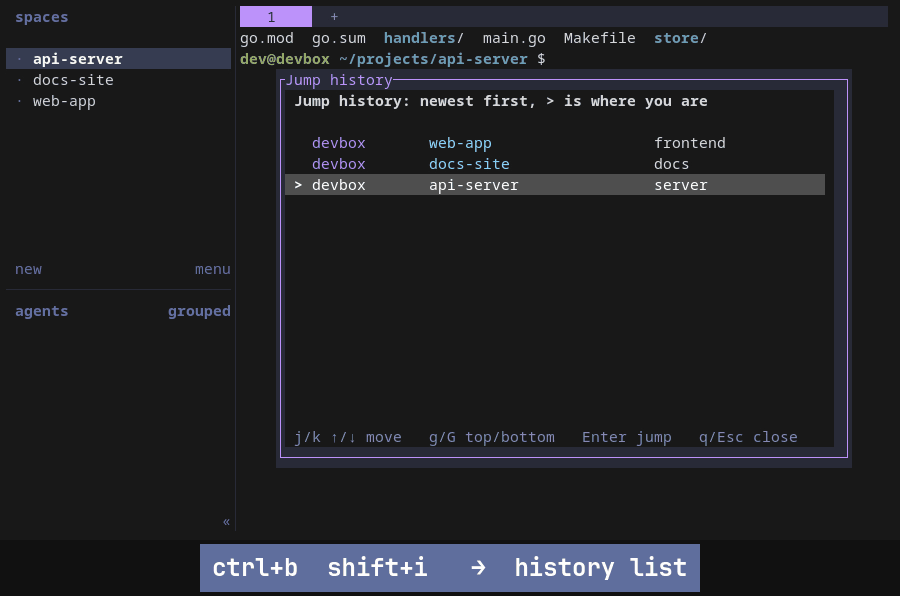
You were in one pane, jumped to check something in another workspace, then to a third on a different machine. Now you want to go back to where you started. In vim that is ctrl+o. In herdr, until now, it was a hunt through the sidebar.
herdr-inandout is the plugin Ben Hart built for that. herdr is a terminal multiplexer for running coding agents, and it already reaches other machines. The plugin gives it a jump list that spans all of them.
Three keys
prefix+o takes you back to where you were. prefix+i goes forward again. prefix+shift+i lists the history, newest first, by workspace and pane name, and Enter jumps straight to any place in it.
A jump is any change of the focused pane, or of the machine the window shows. Going back to a place on another machine switches the window there and focuses the pane. A new jump after going back drops what was ahead, the way a browser does. The history keeps 200 places and survives a restart.
How it reaches other machines
The keys run on whichever server the window is showing, and that server may have no way back to your screen. So the keys only write a request into the plugin's state there. A daemon on your desk keeps one ssh pipe per machine, the same ssh herdr already uses. At the far end a small helper streams that server's focus events and requests, and focuses panes on command.
After each jump the daemon copies the history to every machine, so the list opens from a local file wherever you are. To change machines it drives herdr's own Goto picker, as herdr-queues does.
What it needs
Python 3 on every machine, and on the desk you sit at, X11 with xdotool, or Windows 11. Install the plugin on every machine you reach:
herdr plugin install Benjmhart/herdr-inandout
then bind the three keys in herdr's config.toml and start the daemon with your desktop session. The README has both snippets. It is tested on Arch Linux, Windows 11 and macOS 14; a Mac works as a machine you reach, not yet as the desk. The tests run on all three in CI. It is MIT licensed.
The code and the full setup are at github.com/Benjmhart/herdr-inandout.
